Show up your Page Rank

1 Comments


logo11

Hi guys, I have given below a PageRank Widget with  which you can check your Web Page's page rank.


Check Page Rank of any web site pages instantly:
  
This free page rank checking tool is powered by Page Rank Checker service


After checking give your site address & the page rank in the form of comments.


Let us see which page rank do the majority of people have?


When to use JPEG & GIF format for images on Web

0 Comments

Untitled-1

These little but powerful tips can help your Weblog to load instantly & with maximum Compatibility with all the browsers. It discusses when to use GIF & JPEG image formats for the images which you use on your Website layout & Posts.


Use JPEG Formats :


  • When uploading Photos , Wallpapers & sceneries.
  • For applying Backgrounds of usually 1024 x 768 sizes.
  • When you need high quality & don't care about the Loading time.
  • When you need to make buttons & tabs with images.
  • For images which contain many colors, as JPEG can store more than 16 million colors on one image.


Use GIF Formats:


  • When you want upload those images which have only some lines & contain one color type within large area.
  • You need to make Thumbnails, like avatars .
  • For images with less colors, GIF can store only 256 colors.
  • When you don't need quality in your images & wants them to be loaded as fast as possible.


Conclusion:


  • JPEG should be used when Quality matters for you.
  • GIF should be used when you want web pages to load fast.


Technorati Tags: ,,


CSS Text Wrapper for HTML Text any Shape !

1 Comments

Css-text-wrapper

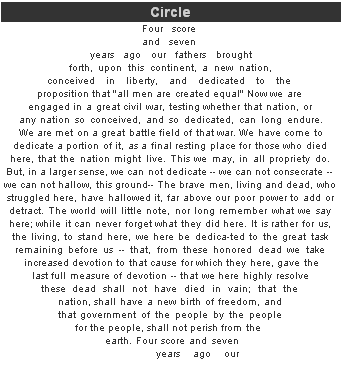
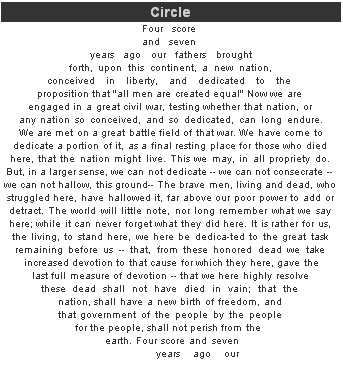
CSS Text Wrapper is a tool that can be used to give any shape to your HTML text. The default shape we have is Rectangular but with this tool you can give Zigzag , curves & many others.


The shape is given by moving the Green buttons in the text body. With this tool you can give your text a new & impressive look which is also very beautiful.


For wrapping the text you have to DO:


  • Write the text
  • Chose width & height of text area.
  • Chose a desired Preview style by modifying some of its settings like Text Align , Font Family, Font Size, URL of Image.


When you have finished wrapping your text then you have to chose a method of applying it to your website, which includes 3 options:


  • Method 1.  Inline CSS/XHTML : This is a easy , you have to copy the code & paste above your Text Content, but this method is bulky & slows down the speed of you site.
  • Method 2. XHTML w/ Classes : You need to have Style sheets for applying this method.
  • Method 3. Javascript: This is the method i recommend everyone, because this is not heavy & loads up easily , you just need to put JavaScript file in to your site.


Here's a screenshot of an example created with this tool:
 

exaple-css-text-wrapper


Click Here to go to CSS Text Wrapper ! . Thanks to Idea Shower for this great tool.


Enjoy Wrapping your text in to figures you like!


How I got Answered on Shoemoney.com

0 Comments

Hey guys yesterday I asked Jeremy about his blog history in few words & he came up with an Answer::

Below is what I asked

''Hey shoe! i am very new to blogging & have came to know about you & your site just now a days , i wanna know about the history of your almighty Blog, How does it get started , please give me a brief answer if you can?? PLZZZZZZZ….''


Jeremy replied:


''ShoeMoney: Sure. I started a personal blog where I could vent my frustrations and views on the industry''


thanks once again Jeremy... Here's link for the Page of Questions . You too can ask Jeremy any questions in coming Questioning Rounds.. 


So you can surf his site & know How he transformed this blog into A Money Making Machine ...


Now that's a true Blogger..smile_shades